
The interface
Four panes, numbered in the tab strip.
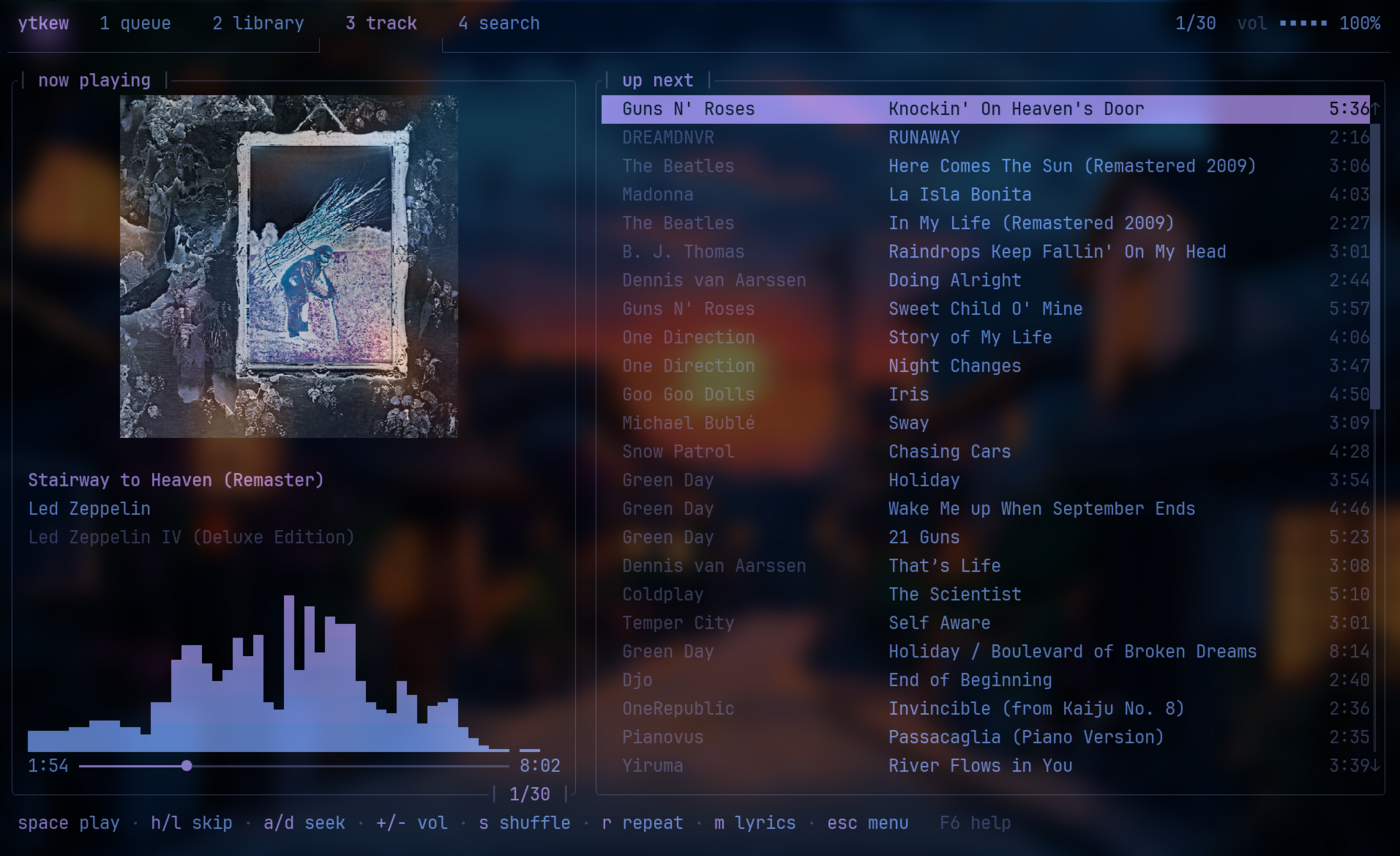
| Key | Pane |
|---|---|
1 |
queue |
2 |
library |
3 |
track |
4 |
search |
tab cycles them, esc opens the menu, F6 shows the help.
The tab strip
Section titled “The tab strip”The right-hand end carries the state you need at a glance: whether you are signed in, position in the queue, shuffle and repeat, and the volume meter.
The volume meter is a five-cell bar. It reads muted in the accent colour
at zero rather than a quiet 0%, because a player that looks like it is
working while making no sound is the single most confusing thing it can do.
The mouse
Section titled “The mouse”The mouse works throughout:
- Click a tab to switch panes
- Click a row to select it, click again to play it — the same feel as a file manager
- Drag the progress bar to seek
- Scroll the wheel over a list to scroll it; away from a list it changes the volume
- Right-click anywhere to play or pause
The menu
Section titled “The menu”esc opens a floating menu with the ytkew banner, in the style btop uses.
Options, help and quit. The options pane steps each setting with ← and →
and applies it immediately, so you can see what a theme or a renderer looks
like before committing it to the config.